# Linux Operating Systems

# Ubuntu Server 22.04

Documentation on Ubuntu Server 22.04 virtual machine setup/configs.

# Arch Linux

Gibby's favorite operating system.

# Fedora / Universal Blue / SilverBlue / Kinoite

# Fedora Staging Guide

<table border="1" id="bkmrk-author-date-revision" style="border-collapse: collapse; width: 100%; height: 119.2px; border-width: 1px; border-color: rgb(0, 0, 0);"><colgroup><col style="width: 33.3333%;"></col><col style="width: 33.3333%;"></col><col style="width: 33.3333%;"></col></colgroup><tbody><tr style="height: 29.8px;"><td style="height: 29.8px; background-color: rgb(194, 224, 244); border-color: rgb(0, 0, 0);">**<span style="color: rgb(0, 0, 0);">Author</span>**  
</td><td style="height: 29.8px; background-color: rgb(194, 224, 244); border-color: rgb(0, 0, 0);">**<span style="color: rgb(0, 0, 0);">Date</span>**  
</td><td style="height: 29.8px; background-color: rgb(194, 224, 244); border-color: rgb(0, 0, 0);">**<span style="color: rgb(0, 0, 0);">Revision</span>**  
</td></tr><tr style="height: 29.8px;"><td style="height: 29.8px; border-color: rgb(0, 0, 0);"><span class="TextRun SCXO110082575 BCX2" data-contrast="auto" lang="EN-US" style="color: windowtext; font-size: 11pt; font-family: Calibri, sans-serif; line-height: 18px;" xml:lang="EN-US"><span class="NormalTextRun SCXO110082575 BCX2" style="background-color: inherit;">Caleb Brendel</span></span></td><td style="height: 29.8px; border-color: rgb(0, 0, 0);"><span class="TextRun SCXO110082575 BCX2" data-contrast="auto" lang="EN-US" style="color: windowtext; font-size: 11pt; font-family: Calibri, sans-serif; line-height: 18px;" xml:lang="EN-US"><span class="NormalTextRun SCXO110082575 BCX2" style="background-color: inherit;">03/31/2026</span></span></td><td style="height: 29.8px; border-color: rgb(0, 0, 0);"><span class="TextRun SCXO110082575 BCX2" data-contrast="auto" lang="EN-US" style="color: windowtext; font-size: 11pt; font-family: Calibri, sans-serif; line-height: 18px;" xml:lang="EN-US"><span class="NormalTextRun SCXO110082575 BCX2" style="background-color: inherit;">1.0</span></span></td></tr></tbody></table>

<table border="1" id="bkmrk-related-product-%28if-" style="border-collapse: collapse; width: 112.738%; height: 204.188px; border-width: 1px; border-color: rgb(0, 0, 0);"><colgroup><col style="width: 22.0501%;"></col><col style="width: 77.9499%;"></col></colgroup><tbody><tr style="height: 31px;"><td style="background-color: rgb(194, 224, 244); height: 31px; border-color: rgb(0, 0, 0);">**<span style="color: rgb(0, 0, 0);">Related product (if any):  
</span>**</td><td style="height: 31px; border-color: rgb(0, 0, 0);"><span style="color: #ffffff; font-family: Calibri, sans-serif;"><span style="font-size: 14.6667px;">Fedora 43 +</span></span></td></tr><tr style="height: 80.1875px;"><td style="background-color: rgb(194, 224, 244); height: 80.1875px; border-color: rgb(0, 0, 0);">**<span style="color: rgb(0, 0, 0);">Description:</span>**</td><td style="height: 80.1875px; border-color: rgb(0, 0, 0);"><span style="color: #ffffff; font-family: Calibri, sans-serif;"><span style="font-size: 14.6667px;">Setup / basic tutorial for getting a working install for Fedora Kinoite or Fedora Silverblue :)</span></span></td></tr><tr style="height: 31px;"><td style="background-color: rgb(194, 224, 244); height: 31px; border-color: rgb(0, 0, 0);">**<span style="color: rgb(0, 0, 0);">Symptoms:  
</span>**</td><td style="height: 31px; border-color: rgb(0, 0, 0);"><span class="TextRun SCXO110082575 BCX2" data-contrast="auto" lang="EN-US" style="color: windowtext; font-size: 11pt; font-family: Calibri, sans-serif; line-height: 18px;" xml:lang="EN-US"><span class="NormalTextRun SCXO110082575 BCX2" style="background-color: inherit;">Wanting to get a proper install going with all codecs, video drivers, etc.</span></span></td></tr><tr style="height: 31px;"><td style="background-color: rgb(194, 224, 244); height: 31px; border-color: rgb(0, 0, 0);">**<span style="color: rgb(0, 0, 0);">Cause:  
</span>**</td><td style="height: 31px; border-color: rgb(0, 0, 0);"><span class="TextRun SCXO110082575 BCX2" data-contrast="auto" lang="EN-US" style="color: windowtext; font-size: 11pt; font-family: Calibri, sans-serif; line-height: 18px;" xml:lang="EN-US"><span class="NormalTextRun SCXO110082575 BCX2" style="background-color: inherit;">Stability :3</span></span></td></tr><tr style="height: 31px;"><td style="background-color: rgb(194, 224, 244); border-color: rgb(0, 0, 0); height: 31px;">**<span style="color: rgb(0, 0, 0);">Files Needed:  
</span>**</td><td style="border-color: rgb(0, 0, 0); height: 31px;"><span class="TextRun SCXO110082575 BCX2" data-contrast="auto" lang="EN-US" style="color: windowtext; font-size: 11pt; font-family: Calibri, sans-serif; line-height: 18px;" xml:lang="EN-US"><span class="NormalTextRun SCXO110082575 BCX2" style="background-color: inherit;">N/A</span></span></td></tr></tbody></table>

<table border="1" id="bkmrk-steps-to-correct%3A-wr" style="border-collapse: collapse; width: 100%; height: 917.657px; border-width: 1px; border-color: rgb(0, 0, 0);"><colgroup><col style="width: 50.0596%;"></col><col style="width: 50.0596%;"></col></colgroup><tbody><tr style="height: 31px; background-color: rgb(194, 224, 244);"><td class="align-center" colspan="2" style="height: 31px; border-color: rgb(0, 0, 0);">**<span class="TextRun SCXO110082575 BCX2" data-contrast="auto" lang="EN-US" style="font-size: 11pt; font-family: Calibri, sans-serif; line-height: 18px;" xml:lang="EN-US"><span class="NormalTextRun SCXO110082575 BCX2" style="background-color: inherit;"><span class="NormalTextRun SCXO110082575 BCX2" style="background-color: inherit;"><span style="color: rgb(0, 0, 0);">Steps to Correct:</span></span></span></span>**  
</td></tr><tr style="background-color: rgb(236, 240, 241); height: 31px;"><td class="align-center" style="height: 31px; border-color: rgb(0, 0, 0);">**<span class="TextRun SCXO110082575 BCX2" data-contrast="auto" lang="EN-US" style="font-size: 11pt; font-family: Calibri, sans-serif; line-height: 18px;" xml:lang="EN-US"><span class="NormalTextRun SCXO110082575 BCX2" style="background-color: inherit;"><span class="NormalTextRun SCXO110082575 BCX2" style="background-color: inherit;"><span style="color: rgb(0, 0, 0);">Written Steps:</span></span></span></span>**</td><td class="align-center" style="height: 31px; border-color: rgb(0, 0, 0);">**<span class="TextRun SCXO110082575 BCX2" data-contrast="auto" lang="EN-US" style="font-size: 11pt; font-family: Calibri, sans-serif; line-height: 18px;" xml:lang="EN-US"><span class="NormalTextRun SCXO110082575 BCX2" style="background-color: inherit;"><span class="NormalTextRun SCXO110082575 BCX2" style="background-color: inherit;"><span style="color: rgb(0, 0, 0);">Visual Steps:</span></span></span></span>**  
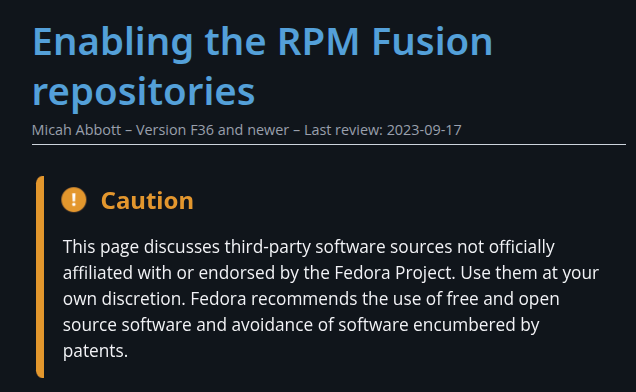
</td></tr><tr style="height: 267.469px;"><td style="height: 267.469px; border-color: rgb(0, 0, 0);">1a. Install the Free and Non-Free Repositories:  
*(reference: [https://docs.fedoraproject.org/en-US/quick-docs/rpmfusion-setup](https://docs.fedoraproject.org/en-US/quick-docs/rpmfusion-setup) )*  
</td><td style="height: 267.469px; border-color: rgb(0, 0, 0);">[![image.png](https://help.basedment.org/uploads/images/gallery/2026-04/scaled-1680-/nFmamJmxgfsy30s0-image.png)](https://help.basedment.org/uploads/images/gallery/2026-04/nFmamJmxgfsy30s0-image.png)

</td></tr><tr style="height: 147.375px;"><td style="height: 147.375px; border-color: rgb(0, 0, 0);">1b. After navigating to the website to ensure the documentation is correlating to the commands below, then execute them.

Firstly, open a terminal. Either, Konsole, cool-retro-term, Kitty, xTerm, or any of the terminal emulators.  
  
If you are on KDE Plasma, do Alt + Space (unless you changed it for Krunner), and you can type Konsole! :3

</td><td style="height: 147.375px; border-color: rgb(0, 0, 0);">[![image.png](https://help.basedment.org/uploads/images/gallery/2026-04/scaled-1680-/Q4vc9pz7lLWkHE8Y-image.png)](https://help.basedment.org/uploads/images/gallery/2026-04/Q4vc9pz7lLWkHE8Y-image.png)

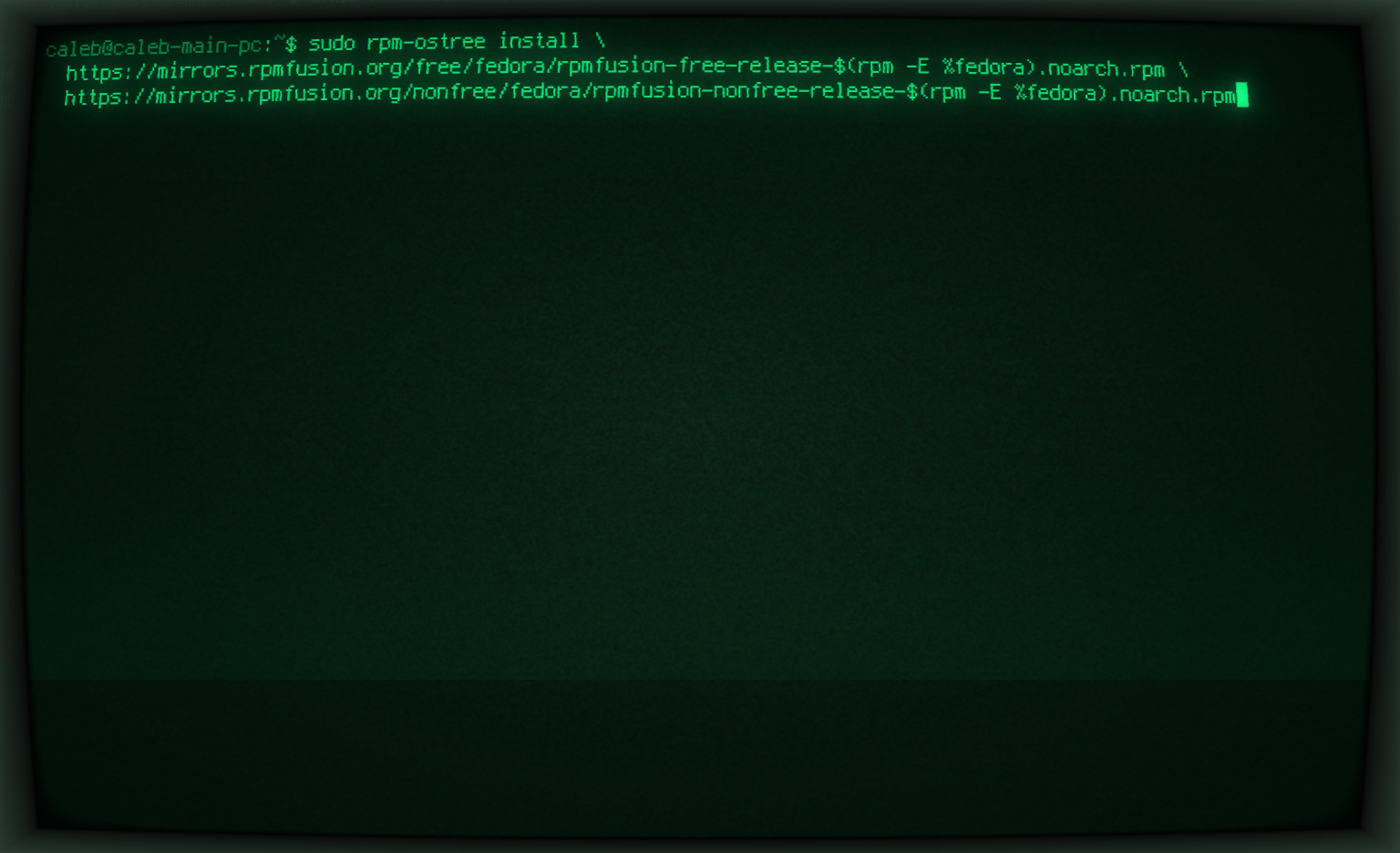
</td></tr><tr style="height: 265.922px;"><td style="height: 265.922px; border-color: rgb(0, 0, 0);">1c. Once the terminal is open, run the following command:   
(you can copy and past this from below:  
  
  
sudo rpm-ostree install \\  
 https://mirrors.rpmfusion.org/free/fedora/rpmfusion-free-release-$(rpm -E %fedora).noarch.rpm \\  
 https://mirrors.rpmfusion.org/nonfree/fedora/rpmfusion-nonfree-release-$(rpm -E %fedora).noarch.rpm  
  
  
Image with example on the side as an example.  
  
  
**Hit Enter on your keyoard to execute the command!**</td><td style="height: 265.922px; border-color: rgb(0, 0, 0);">[![image.png](https://help.basedment.org/uploads/images/gallery/2026-04/scaled-1680-/f7v9zb58UcHTOVwU-image.png)](https://help.basedment.org/uploads/images/gallery/2026-04/f7v9zb58UcHTOVwU-image.png)

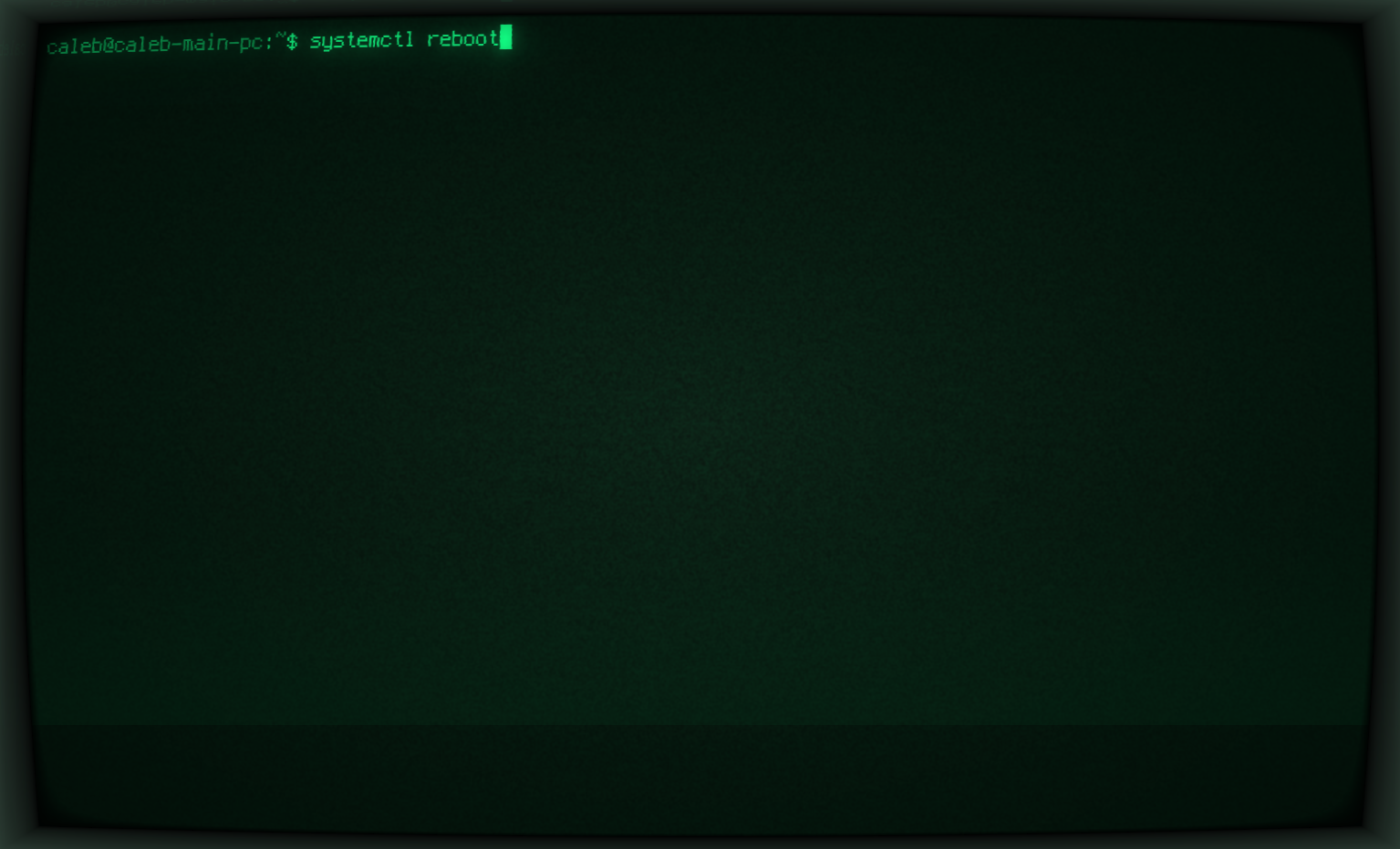
</td></tr><tr style="height: 85.5px;"><td style="border-color: rgb(0, 0, 0); height: 85.5px;">1d. Once it is done adding the Free and Non-Free Repositories, you need to run the reboot command next to be able to start using these repositories.  
  
Command to execute:  
  
systemctl reboot</td><td style="border-color: rgb(0, 0, 0); height: 85.5px;">[![image.png](https://help.basedment.org/uploads/images/gallery/2026-04/scaled-1680-/Wk1127UVuwutJKtW-image.png)](https://help.basedment.org/uploads/images/gallery/2026-04/Wk1127UVuwutJKtW-image.png)

</td></tr><tr style="height: 29.7969px;"><td style="border-color: rgb(0, 0, 0); height: 29.7969px;">2.</td><td style="border-color: rgb(0, 0, 0); height: 29.7969px;"></td></tr><tr style="height: 29.7969px;"><td style="border-color: rgb(0, 0, 0); height: 29.7969px;">  
</td><td style="border-color: rgb(0, 0, 0); height: 29.7969px;"></td></tr><tr style="height: 29.7969px;"><td style="border-color: rgb(0, 0, 0); height: 29.7969px;">  
</td><td style="border-color: rgb(0, 0, 0); height: 29.7969px;"></td></tr></tbody></table>